
_0b6494.png)
_5c07e1.png)
_0d1bd3.png)
_75149d.png)
Welcome to 99nicu – Your Dedicated Community for Neonatal Care Professionals
At 99nicu, we offer more than just quick exchanges. We provide a space for lasting discussions for neonatal health care professionals. As a member, you’ll join a global network of NICU staff focused on exchanging clinical experiences and best practices.
Unlike fast-paced social media platforms, our community is designed for meaningful, sustained conversations. Find organized forums, webinars and valuable resources that you can revisit and search anytime. Our focus is long-term engagement, ensuring that each interaction contributes to your professional development and the advancement of neonatal care in your context.
Join today and experience a space where your expertise is valued and your contributions make a lasting impact.
Featured Content
-
Newborn Sepsis Society: Invitation for the Launch Event during CEPAS
Sepsis doesn't wait for a convenient hour, so neither will we. This Friday, 30 October, 08:00–09:00, the Newborn Sepsis Society launches in Europe at CEPAS 2026 in Lyon. Yes, it's early. We promise it's worth the alarm.📍 Room: St Clair 2New society, same goal: fewer newborns harmed by sepsis, and more of us working on it together. What to expect:🔹 Why a new society? Eleanor Molloy, Johan Gyllensvärd and Joanna Seliga-Siwecka (short answer: because babies deserve better, long answer: come and see)🔹 The problem: where are we in 2026? Joseph Ting🔹 The future: diagnostics and therapies. Eric Giannoni (evidence included, crystal ball optional)🔹 Open discussion: where do we go from here? You, with the microphoneFamilies have a seat at our table from day one, not as an afterthought. Mandy Daly will open the session with a message from our parent and public involvement committee.Already more than 100 members, and we've saved you a chair.💻 Can't make it to Lyon? Join us at newbornsepsissociety.orgSee you at 8:00 sharp (coffee optional, curiosity required).-
-
- 0 replies
Featured by piatkat -
-
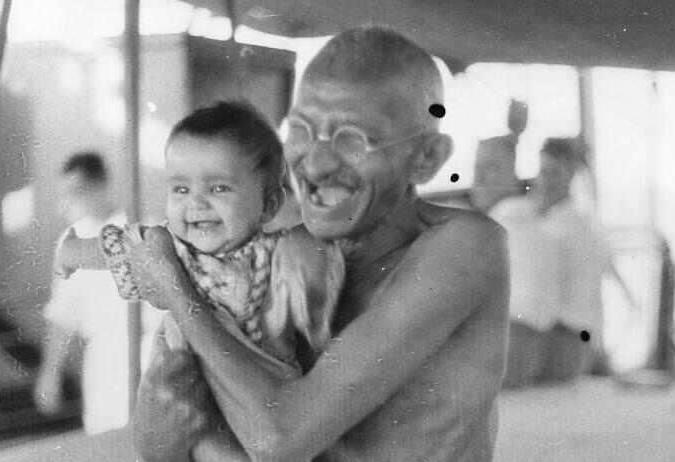
Gandhi & neonatal nutrition
Gandhi is universally admired and respected across the world as one the most inspirational political figures campaigning for independence and civil rights in both South Africa and India; lands that were colonised and ‘stolen from’ for centuries by British rule.By chance I am in India today, on Gandhi’s birthday (Jayanti). I’ve been privileged to present at workshops and give lectures at conferences and NICUs, and been invited to join ward rounds and discuss various aspects of neonatal nutrition. A common challenge is ensuring adequate growth, sufficient electrolyte intakes and maintaining serum concentrations especially those <1000g. Promotion, and use of, Mother’s Own Milk (MOM) is universal across India, and many NICUs in privately run facilities also now operate their own donated human milk banks. Some NICUs are also being approached by mother’s experiencing baby loss, to offer their milk in memory of their baby who died (Lactation after Loss), the topic of one of my workshops.The Salt March of 1930, led by Mahatma Gandhi, is one of the most transformative events in India’s struggle for independence. Gandhi and followers undertook a 240-mile march to the Gujarat coast on the Arabian/Indian sea. Salt is an essential nutrient, especially in hot climates where losses through sweat are high. It had been traded for centuries before the British imposed the Salt Laws, which made it illegal to collect or sell salt which was heavily taxed and controlled. Gandhi recognised that taxing an essential biological nutrient was an extreme act of colonial oppression affecting every Indian. Raising this issue was a masterstroke of political strategy that crossed societal boundaries. Salt taxes disproportionately penalised the poorest and highlighted the moral bankruptcy of colonial rule.Salt & evolutionEverything in biology is explained by evolution. Hundreds of millions of years ago, life originated in the primordial oceans and the first single celled and early multicellular organisms developed in a highly saline environment, from which all cellular processes depended on the surrounding sea water. When animals migrated out of the sea, they couldn’t leave the ocean behind and developed complex renal and hormonal metabolism to enclose that ancient ocean.Salt is essential for human survival, regulates fluid balance, nerve transmission and muscle function. It is one of the most critical nutrients for preterm infants, who are born prior to the 3rd trimester when sodium is accumulated as ‘osmotically inactive’ sodium reserves in bone, skin and other tissues. This may help compensate for the relatively low [Na] in MOM. However, most people on the NICU are far more interested in ‘sexier’ nutrients like protein, DHA, zinc etc. and salt needs are rather under-appreciated.Preterm infants have a high requirements for sodium due to several factors including:limited body storeshigh growth ratesrenal tubular immaturitylow sodium concentration in human milkSodium potassium pumps in every cell maintain the electrical charge across cell membranes enabling nerve transmission and muscle function, and help maintain osmotic balance and blood volume. Term-born infants only receive/need around 1-2mmol/kg/d sodium in MOM, but preterm infants require much higher intakes because of rapid growth and urinary losses. Fractional excretion of sodium (FeNa) is typically high.Salt concentration of early milk and colostrum is higher, but most preterm infants only receive small volumes. There have also been concerns that adding too much sodium to PN in the first 1-2 days may provoke fluid retention and worsen later BPD. High [Na] in the first 2-3 days are also common and may represent excess trans-epidermal water loss, prompting many to believe that additional sodium is not needed.Serum sodium - common mistakesBlood/serum [Na] measures the concentration of sodium and not the total mass, as most sodium is extravascular in the interstitial tissues and also bone. A normal serum sodium can mask massive sodium depletion. Once the baby is total body sodium deficient it can be very hard ever to catch up, and all of us have witnessed infants where we keep prescribing i.v. corrections to no avail. When we updated the ESPGHAN guidelines in 2022 we noted that many very preterm babies need more than than 3-5mmol/kg/d previously recommended, and suggested intakes up to 8mmol/kg (or occasionally higher) might be needed.Clinical practiceBecause sodium is vital for both nerve function and growth, it makes sense to provide recommended intakes in the first few days rather than wait for [Na] to drop. It’s analogous to meeting macronutrient intakes with fortifier or formula before waiting for the baby to experience growth faltering. ‘Prophylaxis’ is the key.Do higher salt intakes improve outcomes?Whilst there are no well powered large RCTs, the accumulating evidence suggest sodium intakes are important for growth and perhaps brain development. There is little point giving optimal intakes of protein and calories, if there isn’t sufficient sodium to accrete into lean tissue.Conclusions and recommendations from ESPGHAN are summarised below.-
-
- 1 reply
Featured by 99nicu.org -
-
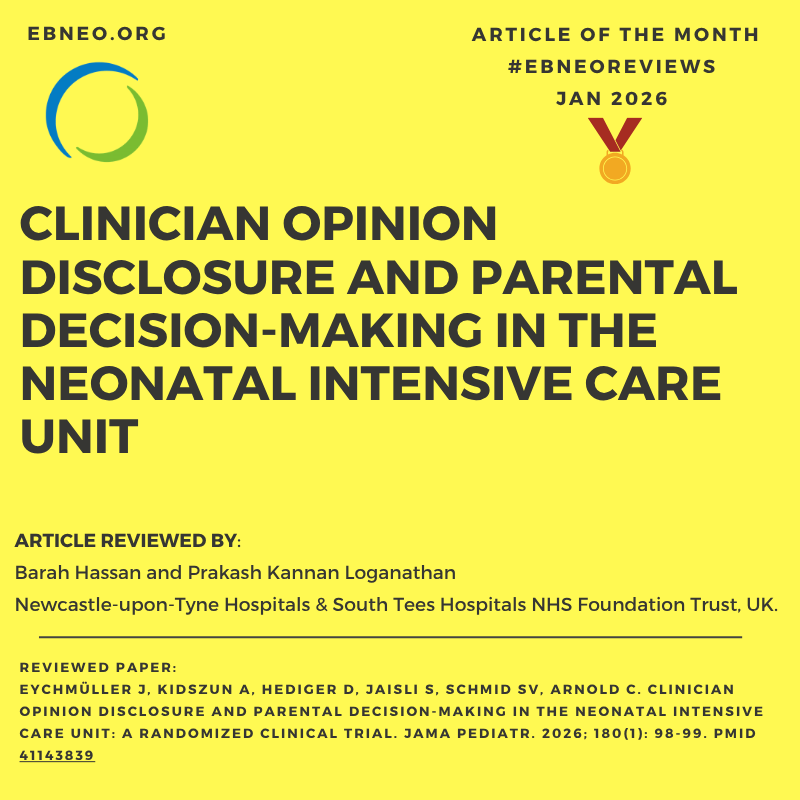
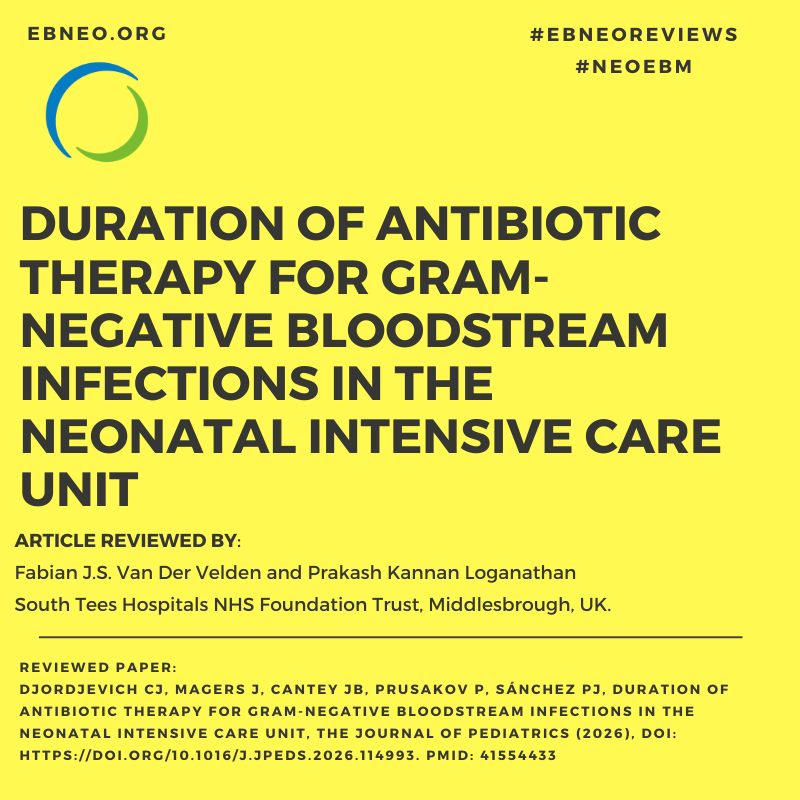
EBNEO Commentary: Duration of Antibiotic Therapy for Gram-Negative Bloodstream Infections in the Neonatal Intensive Care Unit
Fabian J. S. van der Velden and Prakash Kannan Loganathan from James Cook University Hospital, South Tees Hospitals NHS Foundation Trust, Middlesbrough, UK, review the article "Djordjevich CJ, Magers J, Cantey JB, Prusakov P, Sánchez PJ, Duration of Antibiotic Therapy for Gram-Negative Bloodstream Infections in the Neonatal Intensive Care Unit, The Journal of Pediatrics (2026), doi: https://doi.org/10.1016/j.jpeds.2026.114993. PMID: 41554433" for for ebneo.org.READ HERE!ACTA PAEDIATRICA COMMENTARY:Acta Paediatrica - 2026 - Velden - EBNEO Commentary Duration of Antibiotic Therapy for Gram‐Negative Bloodstream.pdf"Gram-negative bloodstream infections (GNBSIs) are an important cause of morbidity and mortality in neonates(1, 2). Recognition and early instigation of appropriate antibiotic treatment is paramount to improve outcomes. The optimal duration of treatment for GNBSI remains uncertain, and prolonged courses may not be necessary for all infants. The aim should be to use the shortest effective course, balancing clinical recovery with the risks of antimicrobial resistance and the potential longer-term harms of unnecessary antibiotic exposure. Prolonged courses of antibiotics have been associated with increased risk of necrotising enterocolitis in premature neonates(3), an increased risk for allergic disease, and inflammatory bowel disease later in life(4). In parallel, antimicrobial resistance remains a growing concern, with reported resistance among neonatal E. coli isolates reaching 50–75% for amoxicillin, 15–30% for gentamicin, and 46% for cefotaxime(1, 5). Although defined as ≤8 versus ≥9 days, the effective comparison was approximately 7 versus 14 days (short: median 7 days, 67% at 7 days; long: median 14 days; only 9 and 1 infant at the 8- and 9-day boundary). Within this contrast outcomes were broadly similar; treatment failure (same-organism recurrence within 14 days; 5% vs 0%) and subsequent multidrug-resistant gram-negative (MDRO) infection occurred only in the longer-course group. The design cannot recover a dose-response or inform intermediate durations. An important limitation is confounding by indication. Infants in the longer-course group appeared clinically more complex, with higher central venous catheter use (68% vs 38%), all cases with multiple positive blood cultures (19% vs 0%), and greater exposure to broader-spectrum monotherapy such as cefepime or piperacillin-tazobactam (49% vs 10%), whereas gentamicin monotherapy was more common in the shorter-course group (36% vs 11%). These findings suggest that clinicians were already tailoring both antibiotic duration and spectrum according to perceived illness severity or complexity. Therefore, the higher MDRO rate in the longer-course group may reflect broader-spectrum exposure and underlying case mix rather than duration alone. This is reinforced by the MDRO definition itself—any-site detection within 90 days—with events occurring 10–82 days later and predominantly new E. coli ESBL isolates that are plausibly independent acquisitions.Blood culture volume, sampling technique, and repeat-culture practice were not reported, and the methods do not explain how metastatic foci (bone, abscess) were excluded. Because lumbar puncture was not always performed at presentation, post-antibiotic or traumatic CSF sampling may have under-recognised meningitis. The study is underpowered, with no multivariable or propensity adjustment and no confidence intervals. Survivorship bias is also a concern: the 27 of 67 excluded infants who died before day 7 could not experience the outcome, and reaching ≥9 days itself required survival, favouring the longer-duration group on mortality. Importantly, the 7 NICUs sit within only 2 healthcare systems under shared stewardship, so this reflects closer to two practice cultures than seven independent centres; gentamicin monotherapy was viable only because local E. coli and Klebsiella susceptibility was 92–95%, against the 15–30% resistance cited in the literature, and centres with higher resistance could replicate neither strategy—narrowing external validity. Taken together, these data support a hypothesis-generating comparison of approximately 7 versus 14 days in a selected, lower-acuity, vasopressor-excluded population managed within two health systems. Given the small sample, methodological limitations, and risk of bias, the findings justify a prospective trial rather than a change in practice, consistent with the authors’ own conclusion.Artificial intelligence disclosure: ChatGPT (OpenAI; GPT-5.4 Thinking) was used to support drafting, language editing, and improvement of clarity in this commentary. The authors independently reviewed, critically appraised, revised, and approved the final content, and take full responsibility for the accuracy and interpretation of the work."-
- 0 replies
Featured by Stefan Johansson -
-
Treasure hunt, networking pressure and a search for connection: come find us at CEPAS 2026
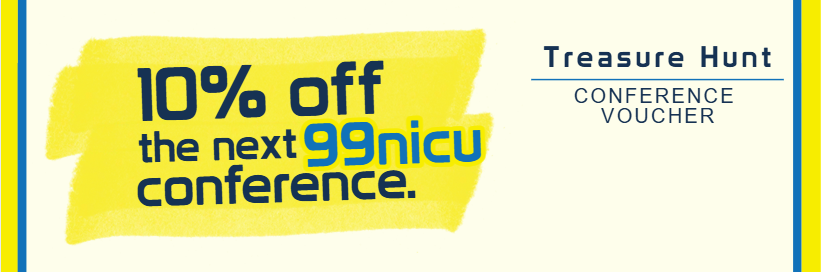
Everybody says conferences are the place to network. But how do you network when you are just starting out? Or when you rarely get to go to conferences? Or when you are coming back after a break, and everyone seems to know each other already?At 99nicu, we are clinicians and scientists at almost every stage of our careers. And, sad to say, we know that feeling quite well. Many of us do more than clinical work: research, teaching, building communities like this one. Yet most of us have stood alone with a coffee, wondering who to talk to. Awkward? Yes.We also know that “networking” can feel like a transaction. Waiting around the corner for a chance to talk to that one person. Asking questions in front of a poster just to start a conversation. Or holding back, because you feel you don’t have much to offer yet. That’s not what we are here for. We are here for real connections, where nobody needs a reason to say hello.Why a treasure hunt?We wanted to bring something a little unusual to a very scientific conference: a treasure hunt. Yes, just like the ones from childhood birthday parties or beloved team-building days.Why? Because we are used to fast social media. One line, one hashtag, a few likes and a comment, and we get our small dopamine boost. Then we move on to the next shiny thing. But what if we tried to engage here and now instead?At a conference like CEPAS, nobody can be everywhere or meet everyone. So we invite you to slow down, look around, and bring us what caught your attention.Take 3 pictures:📸 A conclusion slide from a lecture or session (when allowed). Why did it catch your eye? Will it change your practice? Or the way you look at your own research?📸 A poster (when allowed). Do you see a chance to work together? Is it close to your own topic, or something completely different?📸 A selfie with someone you’ve just met. Who are they? What stage of their career are they in? Do you share research interests? Or are they first-timers too, just looking for a selfie partner for the Treasure Hunt?You don’t have to post your pictures anywhere (unless you want to!). Just bring them to the 99nicu booth in the Meet & Connect Zone, show them to us and tell us about your experience. The first 50 people will get a 10% discount voucher for the upcoming 99nicu conference and precious 99nicu pin (they are awesome, we are very proud of them).While you’re there, charge your phone, try our pen-and-paper puzzles, or just sit down and talk with us.We’ll also introduce the Treasure Hunt in a short session on Thursday 29 October, 10:10–10:25.Less scrolling, more talking. See you in Lyon!--Kat from 99nicu-
-
- 0 replies
Featured by piatkat -
-
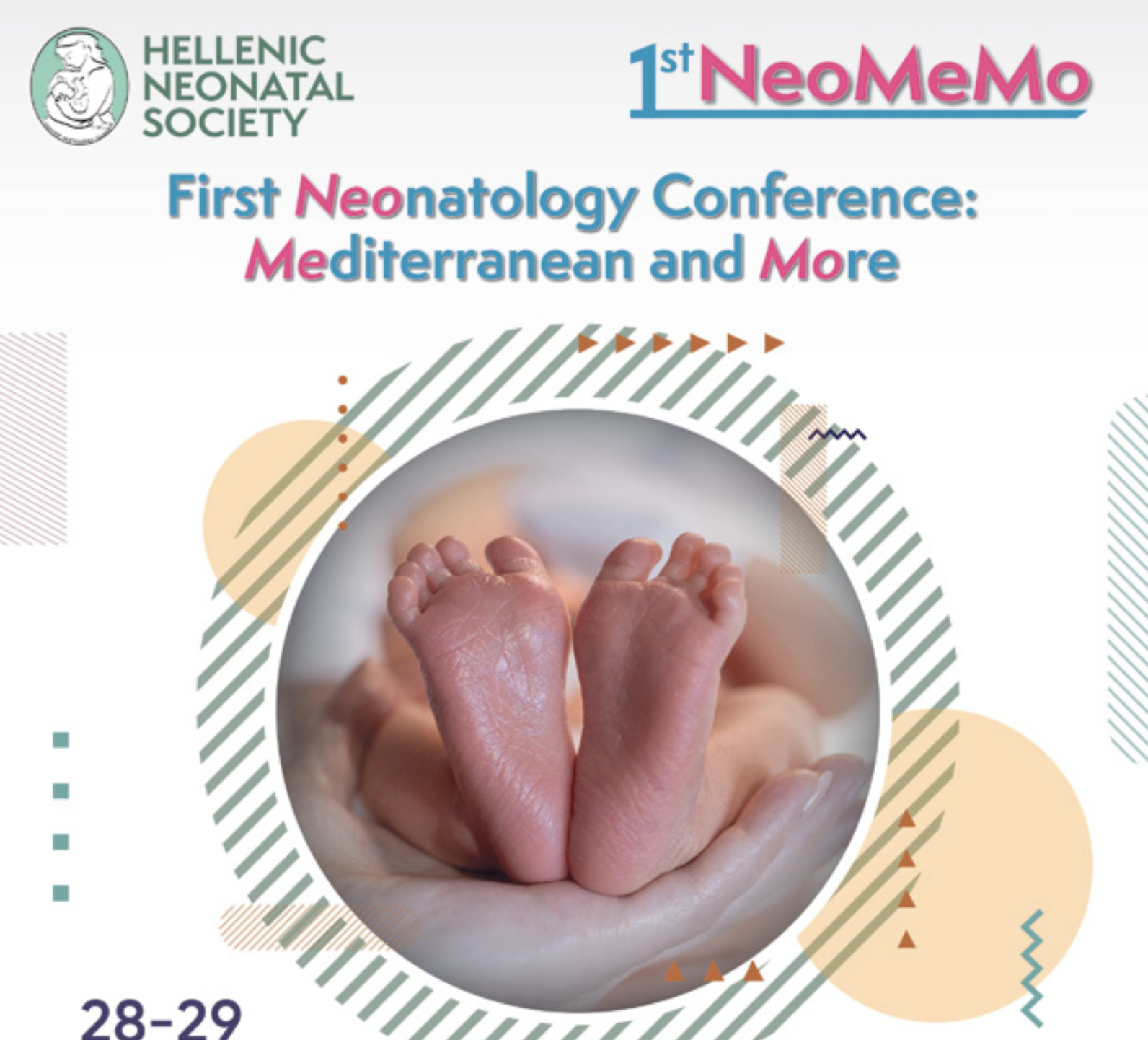
1st NeoMeMo – Neonatology Conference: Mediterranean and More
1st NeoMeMo – Neonatology Conference: Mediterranean and More28–29 November 2026 | Thessaloniki, GreeceThe Hellenic Neonatal Society is pleased to invite you to the 1st Neonatology Conference: Mediterranean and More (1st NeoMeMo), taking place on 28–29 November 2026 in Thessaloniki, Greece.The meeting will bring together neonatologists, pediatricians, nurses, researchers, and other healthcare professionals involved in newborn care from the Mediterranean region and beyond.The scientific programme will focus on current and emerging topics in neonatal medicine, with lectures, clinical discussions, and opportunities for scientific exchange and networking.The conference is organized by the Hellenic Neonatal Society and is held under the auspices of the Union of European Neonatal and Perinatal Societies (UENPS).Venue: Thessaloniki, GreeceDates: 28–29 November 2026Registration and further information:https://mk-premium.com/event/first-neonatology-conference-mediterranean-more/-
-
- 0 replies
Featured by Stefan Johansson -
.png.cbe08663ecd07901cfa3df279a1e4d5b.png.57b8b8d34b6137b93477709d87582af3.png)








Hot Forum Topics
-
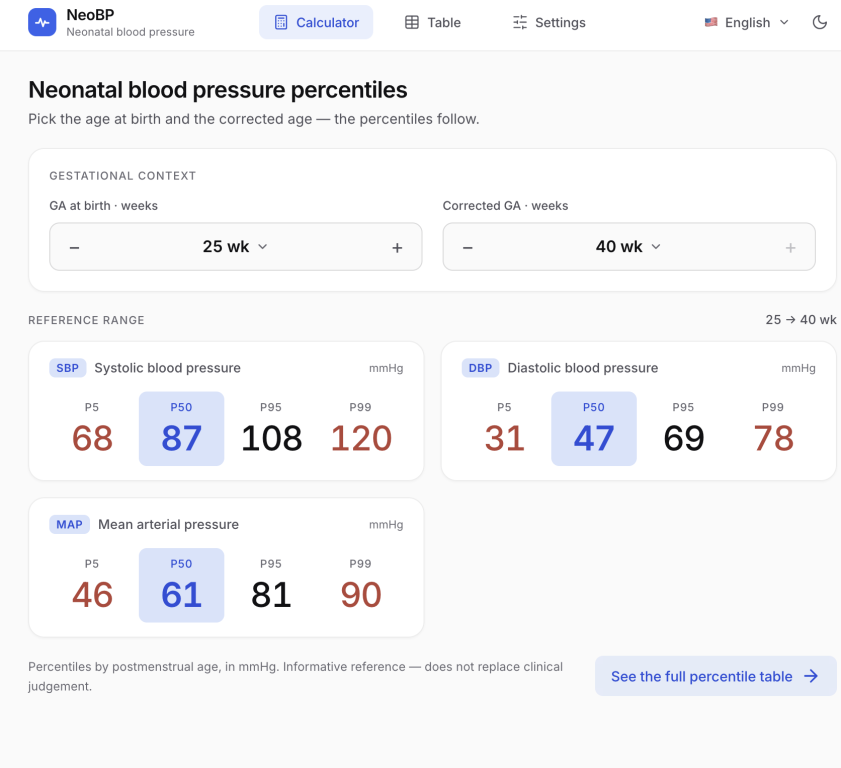
NeoBP.com.br – Neonatal Blood Pressure Percentile Charts Hi, everyone! I'm a neonatologist from Brazil, and I'd like to share a project I've developed to make neonatal blood pressure assessment easier in everyday clinical practice. NeoBP is a free online tool that allows clinicians to consult neonatal blood pressure percentiles based on gestational age at birth and corrected gestational age. The charts are based on a study published by Hillman and colleagues in Neonatology in 2025: Oscillatory B
-
Dear community Who decides when a preterm infant is ready to feed by mouth, and how do we diagnose dysphagia? Three recent papers prompted this question. Reynolds et al. (J Perinatol 2026) describe a level IV NICU where every VP/VLBW infant has a structured clinical feeding evaluation by a certified neonatal therapist (SLP or OT) once unit-based criteria for oral feeding are met. Mothers are offered 1–2 weeks of protected breastfeeding first. Infants who still struggle around 38 weeks PMA, despi
-
Hi, all! What do you think about? Girl, 37 w, 2500 g, sindactilia in all, minor dysmorphic of arms and legs, brachycephalic, with normal neuro & visceral US. Nutritionally & vitality stable & normal.
-
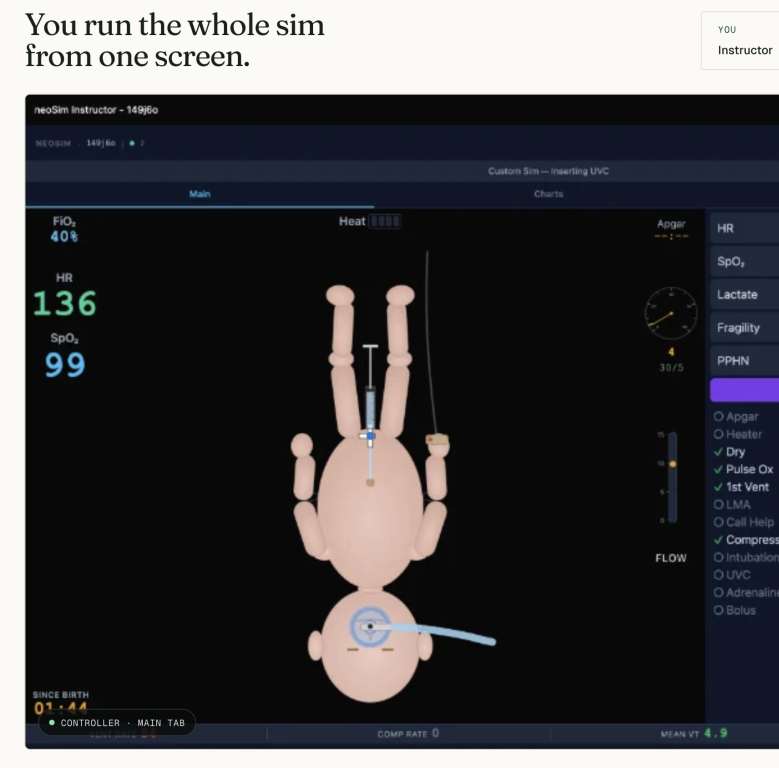
Hi colleagues - many of you will be familiar with nicutools.org neonatal calculators. My new project is a synchronous, multi-participant, instructor-led team simulation in a free browser tool available at neosim.nicutools.org You can set up a virtual neonatal resus case and invite your trainees into the "sim lab" where they can prepare equipment, discuss team roles, then in real time resuscitate the virtual manikin which responds in a life-like fashion to their interventions. T-piece ventilation
-
I would be very interested to hear what actually happens in your NICU: Do you use chest/respiratory physiotherapy in preterm infants? If so, for which specific indications, which techniques are used, and who performs them? Do you have a written protocol?
-
I would be very interested to learn how follow-up and physiotherapy referral are organized in different NICUs after discharge. Are all preterm infants routinely referred to or enrolled in physiotherapy follow-up programmes, or does your team first perform a developmental assessment and refer only those infants who demonstrate specific risk factors, abnormal findings, or emerging developmental concerns? If referral is selective, what criteria do you use, who makes the decision, and which developm






Community News
-
- 0 Comments
- 11 Views
-
- 0 Comments
- 19 Views
-
- 0 Comments
- 240 Views


Latest Blog Entries
-
- 1 Comment
- 78 Views
-
- 0 Comments
- 34 Views
-
- 0 Comments
- 26 Views
-
- 0 Comments
- 109 Views


Professional Development





Latest Research From Neonatal Journals
Latest in Links Directory
-
- 0 Comments
-
- 0 Comments
- 10 Total Hits
-
- 0 Comments
- 0 Reviews
- 1 Total Hits
-
- 0 Comments
- 0 Reviews
- 1 Total Hits
-
- 0 Comments
- 0 Reviews
- 1 Total Hits
-
- 6 Comments
- 108 Total Hits
-
- 0 Comments
- 0 Reviews
- 2 Total Hits
-
- 0 Comments
- 2 Total Hits
-
- 0 Comments
-
- 0 Comments
- 0 Reviews
- 9 Total Hits





Upcoming Events
-
CEPAS 2026
From Neonates to Adolescents: Uniting Paediatric Professionals
Welcome to CEPAS 2026, where all paediatric subspecialties, spanning from neonatal care to adolescent medicine, come together to advance child health through cutting-edge research, education, and collaboration.
For over 15 years, the European Academy of Paediatrics (EAP) and the European Society for Paediatric Research (ESPR) have been leading the way in paediatric research, education, and collaboration.
We are proud to announce the next step in this partnership: CEPAS – the evolution of the European Academy of Paediatric Societies Congress.
Join CEPAS 2026, 28-31 Oct 2026, in Lyon/FR.
Subscribe to updates here: https://www.cepas.org/subscribe-to-the-newsletter
- 0 comments
-
Perinatal Care of the Preterm Baby Epidemiology and Ethics
Perinatal Care of the Preterm Baby-Epidemiology and Ethics
This is an online module being organised by the MPROvE Academy starting from the 12th of February till the end of April 2021. The content covered includes limits of viability, prenatal counselling, communication, prognostication, decision making, and a lot more as outlined below. The course has been broken up into content that can be imbibed weekly with a webinar covering that topic. The course has online content, and videos for review by the participants. Participants can access this from anywhere in the world. For more details a video of the course is attached.
For registration please contact Dr Alok Sharma Consultant Neonatologist on draloksharma74@gmail.com
- 0 comments
-
AAA in Action: Age-Appropriate Attributes of Developmental Care for the Preterm Newborn
AAA in Action: Age-Appropriate Attributes of Developmental Care for the Preterm Newborn is a World Prematurity Day workshop that explores the critical role of developmental care during the period of rapid brain growth in preterm infants. Participants will gain practical insights into recognising age-appropriate developmental attributes, delivering individualised neuroprotective interventions, engaging families as partners in care, and implementing evidence-based developmental care practices within the NICU through the Assess, Adapt, and Advance (AAA) framework. The workshop is designed for neonatal healthcare professionals committed to improving developmental outcomes for vulnerable newborns.
Workshop Objectives
Participants will be able to:
✅ Differentiate developmental and sensory characteristics of preterm infants across key postmenstrual age groups and relate them to developmental care needs.
✅ Demonstrate selection of age-appropriate multisensory and neuroprotective developmental care interventions based on infant maturity, stability, and behavioural organisation.
✅ Design strategies to engage parents as active partners in delivering positive sensory experiences and developmental care within the NICU.
✅ Develop an individualised, age-appropriate developmental care plan that integrates infant assessment, sensory experiences, family participation, and interdisciplinary collaboration.
This workshop is ideal for:
Occupational Therapists, Physiotherapists, and Speech‑Language Pathologists working in neonatal settings
Neonatal Nurses, Developmental Specialists, and NICU Care Teams
Medical and Allied Health Students interested in neonatal therapy and developmental care
Hospital Administrators and Educators seeking to implement evidence‑based NICU practices
- 0 comments
Who's Online (See full list)
Member Statistics
- 7,228 Total Members
- 2,455 Most Online
-
Jesinth Newest Member ·
