Skip to content
View in the app

A better way to browse. Learn more.

99NICU

A full-screen app on your home screen with push notifications, badges and more.

To install this app on iOS and iPadOS
  1. Tap the Share icon in Safari
  2. Scroll the menu and tap Add to Home Screen.
  3. Tap Add in the top-right corner.
To install this app on Android
  1. Tap the 3-dot menu (⋮) in the top-right corner of the browser.
  2. Tap Add to Home screen or Install app.
  3. Confirm by tapping Install.

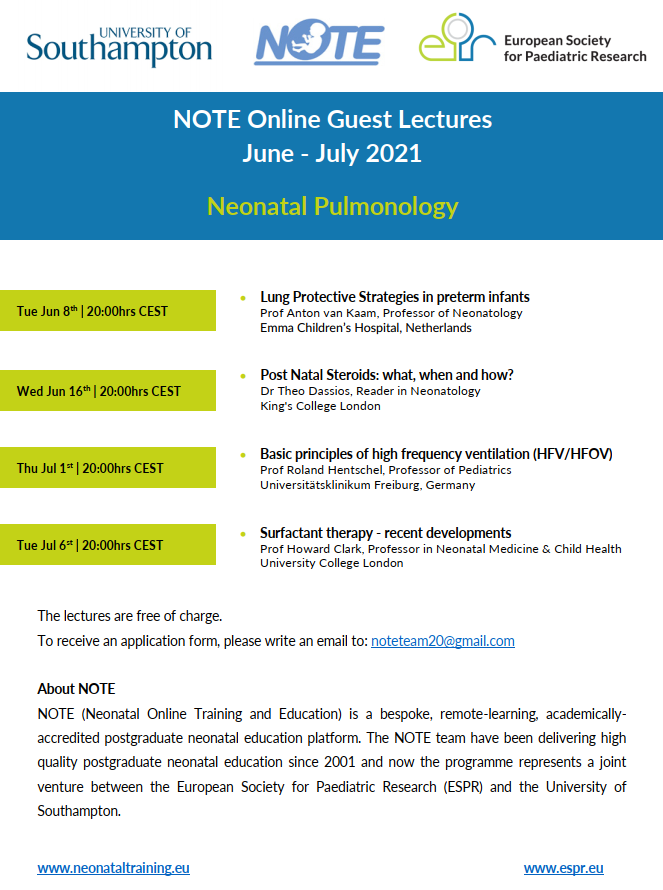
Lung Protective Strategies in Preterm Infants- Prof Anton van Kaam

NOTE and ESPR Online Guest Lecture Series in Neonatal Pulmonology (FREE)- if you would like an application form to attend, please email noteteam20@gmail.com 
Pulmonology_guest_lectures_2021.png?id=6

Recommended Comments

There are no comments to display.

To read the comments in this discussion, please log in or register. It's free and open to neonatal care professionals worldwide!

Account

Navigation

Search

Search

Configure browser push notifications

Chrome (Android)
  1. Tap the lock icon next to the address bar.
  2. Tap Permissions → Notifications.
  3. Adjust your preference.
Chrome (Desktop)
  1. Click the padlock icon in the address bar.
  2. Select Site settings.
  3. Find Notifications and adjust your preference.