
_0b6494.png)
_5c07e1.png)
_0d1bd3.png)
_75149d.png)
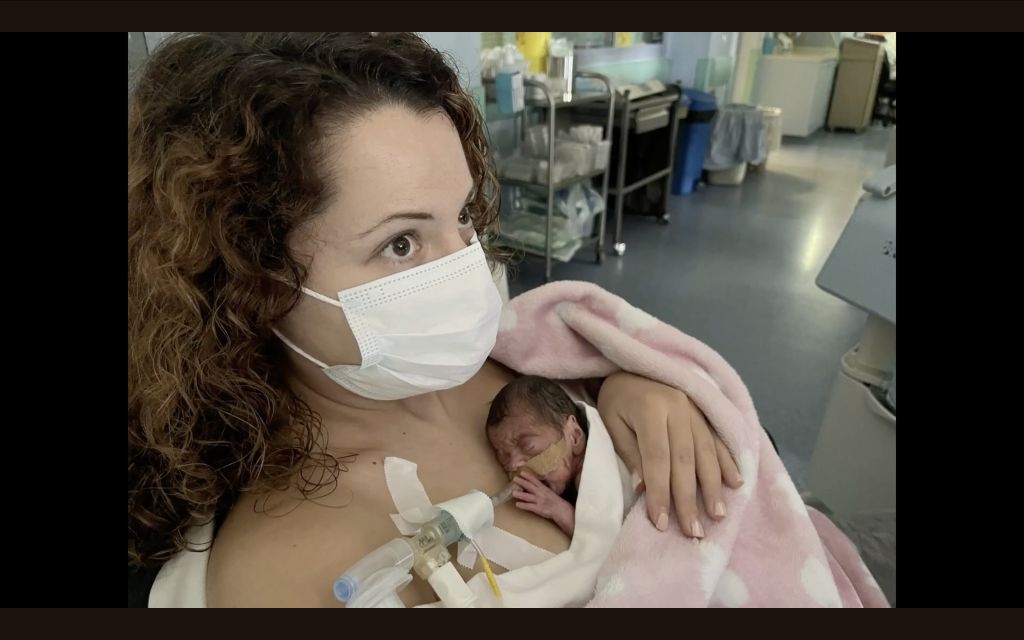

For many parents, the neonatal intensive care unit (NICU) is a place they never expected to find themselves – a world of beeping monitors, quiet strength, and waiting.
"NICU Journeys" is a video series, developed by the NeoIPC project, that amplifies their voices, shares their hopes and fears, highlights their role in caring for their premature babies, and raises awareness about the importance of infection prevention and control practices.

Evaggelia's Story (Language: Greek, Subtitles available in English and Greek): https://www.youtube.com/watch?v=tzyjkfRsRxc

Irene's Story (Language: Greek; Subtitles available in English and Greek): https://www.youtube.com/watch?v=I4prcoEYaK0
.jpg.8b3b4f6488e4164297c837fde7da8e1f.jpg "mq3 (1).jpg")
Valentina's Story (Language: Greek; Subtitles available in English and Greek): https://www.youtube.com/watch?v=cdT6ecv25ec

Dayana's Story (Language: Spanish; Subtitles available in English and Spanish): https://www.youtube.com/watch?v=0ks895EtpTc
.jpg.10b79112e4a0ed0a8b75f9d53482276d.jpg "mq2 (1).jpg")
Elsa and Ricardo's Story (Language: Spanish; Subtitles available in English and Spanish): https://www.youtube.com/watch?v=vtmqUSsVvkU
Recommended Comments
To read the comments in this discussion, please log in or register. It's free and open to neonatal care professionals worldwide!